 With the advent of digital cameras and smartphones, my hard drive has accumulated
photos with filenames such as:
IMG_20250627_141706.jpg, IMG_0379.JPG, or DSCF7140.JPG .
For my program Diarama as well as for other purposes these files (photos)
need to be renamed.
With the advent of digital cameras and smartphones, my hard drive has accumulated
photos with filenames such as:
IMG_20250627_141706.jpg, IMG_0379.JPG, or DSCF7140.JPG .
For my program Diarama as well as for other purposes these files (photos)
need to be renamed.
This can be done in Windows using File Explorer.
There are also programs that display multiple files at once for renaming,
but they come at a cost. In such programs, just as in File Explorer, the font
size presents a problem. For people with impaired vision, this task causes eye strain.
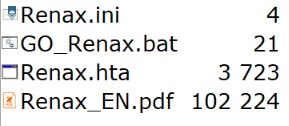
Copy the program Renax.hta into the folder containing the photos you want to rename. The program is quite small only 6,537 bytes so keeping it in multiple folders won't burden your disk. There is no limit to the number of photos in the folder; it really just depends on your patience. Then, click on the Renax.hta program. .

The New Name field is editable so you do not need to retype the entire text. Use your mouse to position the cursor where you want to make a change. Then click the RENAME button. The program will apply the change and display the next photo.
The program is free of charge. However, the author reserves the right to decide where the program is hosted for download. If you intend to host the program for download on a different server, please inform the author..
Mailto:Ing. Branislav Štofko